How It Works
SignedShot uses cryptography to prove two things about your photos and videos: that the content hasn't been changed, and that it was captured by a trusted device. Think of it as a tamper-proof seal for digital media.
The Problem
Digital content is easier than ever to manipulate. Photos can be edited, AI can generate fake videos, and there's no reliable way to prove what's real. We need a system that doesn't rely on trusting platforms or services—one that anyone can verify independently.
The Solution: Two Layers of Proof
SignedShot works through two independent layers of cryptographic verification:
Layer 1: Media Integrity
Proves the content hasn't been altered
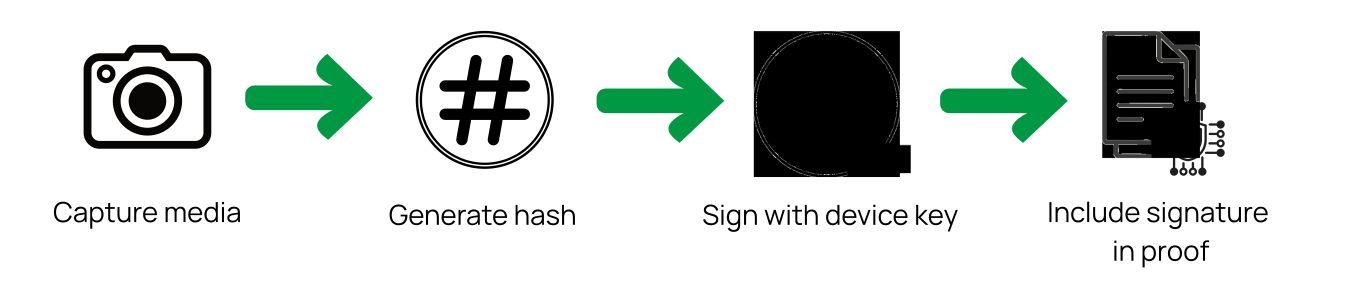
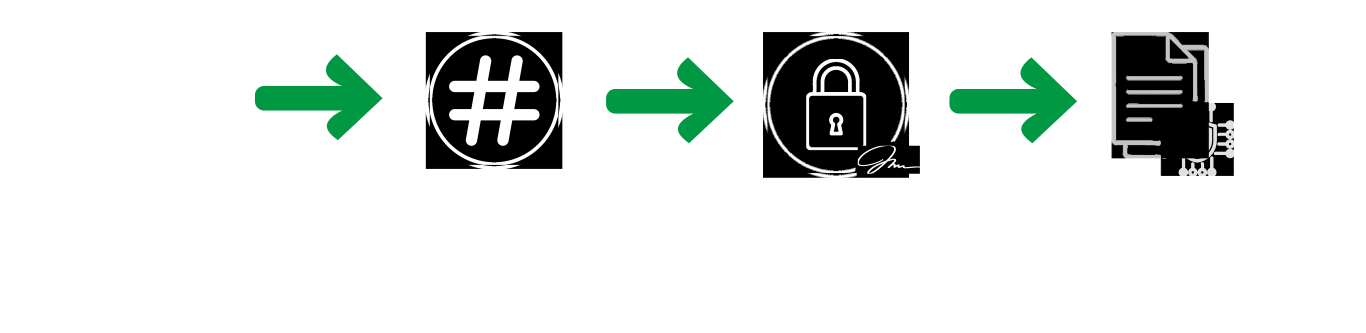
What this means: Any change to the file—even a single pixel—will break the signature. The content is locked at the moment of capture.
Layer 2: Capture Trust
Proves it was captured by a trusted device
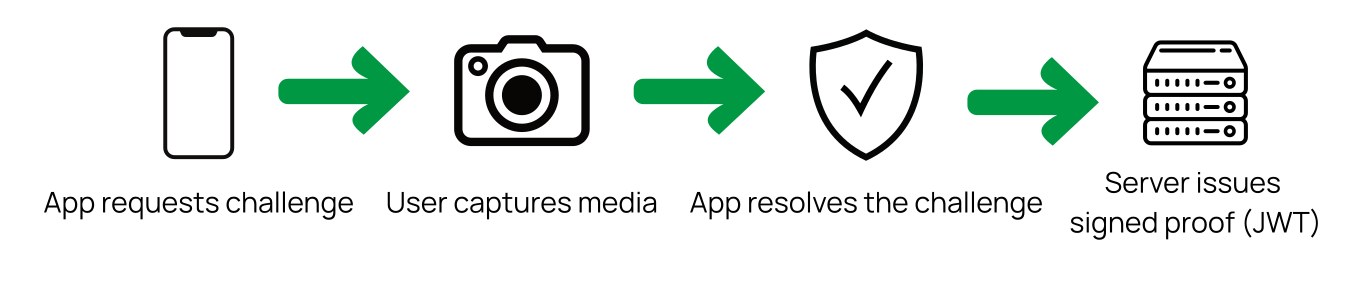

What this means: The capture came from a legitimate app on a real device, not from a script or fake source. The server validates the device before issuing proof.
Why Two Layers?
Separation of concerns
Content integrity works independently of device trust. You can verify one without the other.
Flexibility
Different use cases need different trust levels. Debug mode for testing, full attestation for production.
Upgradeability
Layer 2 can evolve (add hardware attestation, decentralized proofs) without changing Layer 1.
The Proof: A JSON Sidecar
Every capture gets a JSON "sidecar" file containing both layers of proof:
{
  "version": "1.0",
  "media_integrity": {
    "content_hash": "a3f9d2e8b7c6...",
    "signature": "MEUCIQD8xM7K...",
    "public_key": "MFkwEwYH...",
    "capture_id": "91f4c0b2-...",
    "captured_at": "2025-08-28T18:42:00Z"
  },
  "capture_trust": {
    "jwt": "eyJhbGciOiJFUz..."
  }
}
Layer 1 (media_integrity) contains the hash, signature, and public key from the device.
Layer 2 (capture_trust) contains a JWT signed by the server proving device legitimacy.
How Verification Works
Anyone can verify a SignedShot capture independently—no account or API key required. The verifier checks four things:
Content Hash
Hash the media file and compare with the sidecar
Device Signature
Verify the signature using the public key
Server JWT
Validate the JWT signature and check claims
Cross-Layer Binding
Verify the device's public key fingerprint matches the JWT claim
What SignedShot Protects
Post-capture tampering
Any edit breaks the signature
Fabricated captures
Can't create valid signatures without device access
Replay attacks
Server challenges prevent reuse
File substitution
Hash locks the signature to specific content
What SignedShot Doesn't Protect
Capturing fake content
If you photograph a deepfake on a screen, SignedShot proves you captured that image, not that the content is real
Compromised devices
Root/jailbroken devices may allow key extraction
Key insight: SignedShot proves "this device captured this content at this time"—not "this content depicts reality." It establishes a verified chain of custody.
Why JSON?
The proof format is JSON for three reasons:
Human-readable
Developers can inspect proofs without special tools
Flexible storage
Store as a file, in a database, or transmit via API
Easy integration
Every platform has JSON libraries
Getting Started
For Developers
Integrate SignedShot into your app with our iOS SDK and Python validator.
Quick start guide →Open Protocol
SignedShot is an open protocol, not a product. You can:
- • Run your own trust server
- • Choose which issuers to trust
- • Define your own trust policies
- • Implement the protocol however you want
- • Contribute improvements
Next Steps
Ready to dive deeper?
Read the Documentation
Complete technical specification
Try the Demo
See SignedShot in action
View on GitHub
Reference implementation
Explore the API
Interactive API documentation
SignedShot is currently in Developer Preview. The protocol may evolve based on community feedback.